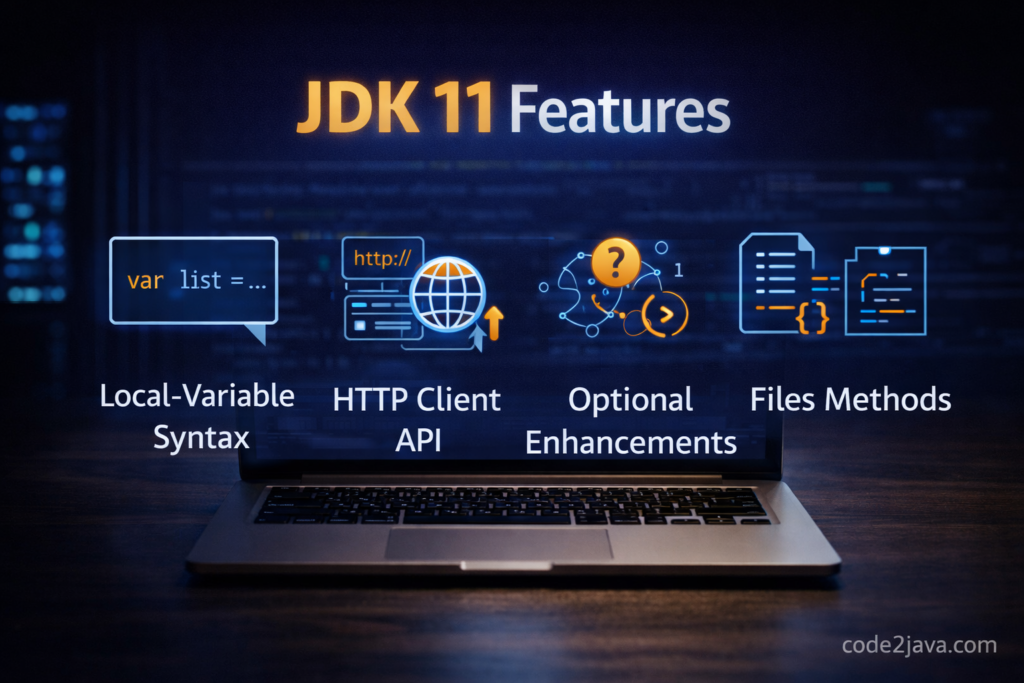
JDK 11 is a Long-Term Support release that shipped in September 2018. It is important to understand it not as a single feature drop but as a consolidation: the turbulent years of Java 9 (modules) and Java 10 (var) had introduced significant changes to the ecosystem, and many libraries and frameworks were still catching up. JDK 11 built on that foundation, added the standardized HTTP Client, finished the String and collection API work that had been accumulating since Java 8, and introduced production-grade profiling with JDK Flight Recorder. For teams that skipped Java 9 and 10 — which was the majority — JDK 11 was the migration target, and it delivered enough improvements to make that migration worthwhile.
This post covers what actually changed in JDK 11, why those changes matter for production code, and what migration from JDK 8 requires in practice. The features below are selected for production relevance, not novelty.
HTTP Client API: Replacing HttpURLConnection
The standard HTTP client in Java before JDK 11 was HttpURLConnection, an API designed in 2001 that predates virtually every modern HTTP use case. It required verbose setup, had no native support for HTTP/2, handled redirects inconsistently, and provided no clean way to read response bodies asynchronously. JDK 11 replaces it with a first-class HTTP Client API (JEP 321) that supports HTTP/1.1 and HTTP/2, synchronous and asynchronous request sending, and a clean builder-based configuration model.
// Java 11+ — java.net.http.HttpClient; modern HTTP without third-party dependencies
import java.net.http.HttpClient;
import java.net.http.HttpRequest;
import java.net.http.HttpResponse;
import java.net.URI;
import java.time.Duration;
import org.slf4j.Logger;
import org.slf4j.LoggerFactory;

public class OrderHttpClient {
    private static final Logger log = LoggerFactory.getLogger(OrderHttpClient.class);

    // Build once, reuse — HttpClient is designed to be shared across requests
    private static final HttpClient HTTP = HttpClient.newBuilder()
        .connectTimeout(Duration.ofSeconds(5))
        .followRedirects(HttpClient.Redirect.NORMAL)
        .version(HttpClient.Version.HTTP_2) // Negotiates HTTP/2 with server if available
        .build();

    public String fetchOrderStatus(String orderId) throws Exception {
        HttpRequest request = HttpRequest.newBuilder()
            .uri(URI.create("https://api.example.com/orders/" + orderId))
            .header("Accept", "application/json")
            .timeout(Duration.ofSeconds(10))
            .GET()
            .build();

        HttpResponse<String> response = HTTP.send(request, HttpResponse.BodyHandlers.ofString());

        if (response.statusCode() != 200) {
            log.warn("Unexpected status {} for order {}", response.statusCode(), orderId);
            throw new RuntimeException("Upstream returned " + response.statusCode());
        }

        log.info("Fetched status for order {}, version={}", orderId, response.version());
        return response.body();
    }
}Code language: Java (java)
The HTTP Client also provides asynchronous sending via sendAsync(), which returns a CompletableFuture<HttpResponse<T>>. This enables non-blocking HTTP calls that compose with the CompletableFuture pipeline without needing a third-party client like OkHttp or Apache HttpClient. For services that need to call multiple HTTP endpoints in parallel, sendAsync combined with CompletableFuture.allOf() provides a clean model without reactive framework overhead.
String API Improvements
JDK 11 adds several String methods that fill gaps in what was previously only possible through third-party utilities like Apache Commons or Guava. These are small but frequent enough in real code that their absence was a persistent friction point.
// Java 11+ — new String methods covering common operations that previously required libraries
import org.slf4j.Logger;
import org.slf4j.LoggerFactory;
import java.util.List;

public class StringApiExamples {
    private static final Logger log = LoggerFactory.getLogger(StringApiExamples.class);

    public void demonstrate() {
        // isBlank() — checks for empty or whitespace-only; trim().isEmpty() was the workaround before
        String input = "   ";
        if (input.isBlank()) {
            log.warn("Input is blank — rejecting request");
        }

        // strip() — Unicode-aware whitespace removal; trim() only handles ASCII whitespace (≤ U+0020)
        String padded = " Leading whitespace";  // em space (U+2003)
        log.info("strip: [{}]", padded.strip());    // removes em space
        log.info("trim:  [{}]", padded.trim());     // does NOT remove em space

        // lines() — splits on
,
,
; returns a Stream<String>
        String multiline = "line one
line two
line three";
        List<String> lines = multiline.lines().toList();
        log.info("Line count: {}", lines.size()); // 3

        // repeat() — string multiplication; useful for separators, padding, tests
        String separator = "-".repeat(40);
        log.info(separator);

        // stripLeading() / stripTrailing() — directional whitespace removal
        String mixed = "   value   ";
        log.info("[{}]", mixed.stripLeading());  // "value   "
        log.info("[{}]", mixed.stripTrailing()); // "   value"
    }
}Code language: Java (java)
Files.readString and Files.writeString
Reading and writing a file as a String required multiple lines of boilerplate before JDK 11 — either manual buffered reader handling or Files.readAllBytes followed by a new String(bytes, charset). JDK 11 adds Files.readString(Path) and Files.writeString(Path, CharSequence), which read or write the entire file as a String with optional charset specification. These are convenience methods, not performance improvements — for large files, streaming reads with BufferedReader remain the right approach.
// Java 11+ — Files.readString and Files.writeString; one-call file text I/O
import java.nio.file.Files;
import java.nio.file.Path;
import java.nio.charset.StandardCharsets;
import org.slf4j.Logger;
import org.slf4j.LoggerFactory;

public class ConfigLoader {
    private static final Logger log = LoggerFactory.getLogger(ConfigLoader.class);

    public String loadConfig(Path configPath) throws Exception {
        // Reads entire file as UTF-8 string — no FileReader, no BufferedReader, no stream close
        String content = Files.readString(configPath, StandardCharsets.UTF_8);
        log.info("Loaded {} bytes from {}", content.length(), configPath);
        return content;
    }

    public void saveProcessedConfig(Path outputPath, String content) throws Exception {
        // Writes string to file, creating or overwriting — no FileWriter boilerplate
        Files.writeString(outputPath, content, StandardCharsets.UTF_8);
        log.info("Saved config to {}", outputPath);
    }
}Code language: Java (java)
var in Lambda Parameters
var for local variable type inference arrived in Java 10. JDK 11 (JEP 323) extends it to lambda parameters. This is not about reducing verbosity in the common case — you can already omit the type entirely in a lambda. The reason for this addition is annotations: you cannot annotate an implicitly typed lambda parameter, but you can annotate a var parameter. This matters when using annotations like @NonNull or @Nullable for static analysis tools.
// Java 11+ — var in lambda parameters; enables annotations on implicitly-typed params
import org.jetbrains.annotations.NonNull;
import java.util.List;
import java.util.stream.Collectors;
import org.slf4j.Logger;
import org.slf4j.LoggerFactory;

public class LambdaVarExample {
    private static final Logger log = LoggerFactory.getLogger(LambdaVarExample.class);

    public List<String> processOrders(List<String> orderIds) {
        return orderIds.stream()
            // @NonNull annotation requires var — cannot annotate implicitly typed parameters
            .filter((@NonNull var id) -> !id.isBlank())
            .map((@NonNull var id) -> "ORDER-" + id.toUpperCase())
            .collect(Collectors.toList());
    }
}Code language: Java (java)
JDK Flight Recorder: Production Profiling Without Overhead
JDK Flight Recorder (JEP 328) was previously a commercial JVM feature available only with Oracle JDK support contracts. JDK 11 open-sourced it and made it available in OpenJDK. Flight Recorder is a low-overhead, always-on profiling and event recording mechanism built into the JVM. It records JVM events — GC pauses, JIT compilation, thread states, lock contention, heap usage — to a circular buffer that can be dumped on demand or continuously to a file.
The key property that distinguishes JFR from traditional profilers is its overhead: typically under 1% in production workloads. This makes it safe to run continuously in production, which changes its value proposition from “tool you use when investigating a problem” to “always-on telemetry you can query when something goes wrong.” Combined with JDK Mission Control for analysis, JFR provides thread dumps, heap histograms, lock contention hotspots, and exception rates without requiring a restart or a dedicated profiling session.
// Java 11+ — custom JFR events; records domain-specific production events with JVM overhead
import jdk.jfr.Event;
import jdk.jfr.Label;
import jdk.jfr.Category;
import jdk.jfr.Description;
import org.slf4j.Logger;
import org.slf4j.LoggerFactory;

@Label("Database Query")
@Category({"Application", "Database"})
@Description("Records each database query execution with timing and result")
public class DatabaseQueryEvent extends Event {
    @Label("Query")
    public String query;

    @Label("Row Count")
    public int rowCount;

    @Label("Success")
    public boolean success;
}

class OrderRepository {
    private static final Logger log = LoggerFactory.getLogger(OrderRepository.class);

    public int countOrders(String customerId) {
        DatabaseQueryEvent event = new DatabaseQueryEvent();
        event.query = "COUNT orders WHERE customer_id = ?";
        event.begin(); // Start timing

        try {
            int count = executeCountQuery(customerId); // actual JDBC call
            event.rowCount = count;
            event.success = true;
            return count;
        } catch (Exception e) {
            event.success = false;
            log.error("Query failed for customer {}", customerId, e);
            throw e;
        } finally {
            event.commit(); // Writes to JFR buffer — negligible overhead
        }
    }

    private int executeCountQuery(String customerId) { return 42; }
}Code language: Java (java)
ZGC: Latency-Oriented Garbage Collector
JDK 11 introduced ZGC (JEP 333) as an experimental low-latency garbage collector. It became production-ready in JDK 15. ZGC’s design goal is to keep GC pause times under 10 milliseconds regardless of heap size, achieved by doing the majority of GC work concurrently with application execution — marking, relocation, and compaction all happen while the application is running. The stop-the-world pauses in ZGC are limited to root scanning, which scales with thread count rather than heap size, making it suitable for large-heap workloads where G1’s pauses become unpredictable.
Enabling ZGC is a two-flag change from G1: -XX:+UseZGC removes the need to tune -XX:MaxGCPauseMillis and -XX:G1HeapRegionSize, simplifying GC configuration significantly. The trade-off is slightly higher total CPU consumption for the concurrent GC work — ZGC uses more CPU than G1 at the same throughput, so it is not the right choice for CPU-constrained workloads. For latency-sensitive services where GC pause spikes are a problem, ZGC’s consistent sub-10ms pauses justify the CPU overhead.
Interview Questions
What happens when you use HttpClient.sendAsync() and the remote server responds with HTTP 429 (Too Many Requests)?
The CompletableFuture returned by sendAsync() completes normally — with a HttpResponse where statusCode() returns 429. sendAsync() does not throw for non-2xx responses; it only exceptionally completes the future if the HTTP exchange itself failed (network error, timeout, protocol error). The application is responsible for inspecting the status code and acting appropriately — reading the Retry-After header and scheduling a retry, for example. This differs from some HTTP client libraries that throw exceptions for non-2xx responses by default, and it differs from HttpURLConnection, which could throw IOException for certain server responses depending on the configuration.
How does strip() behave differently from trim() and why does it matter in production?
trim() removes characters with Unicode code points at or below U+0020, which covers ASCII whitespace (space, tab, newline, carriage return) but misses Unicode whitespace like the em space (U+2003), non-breaking space (U+00A0), and zero-width space (U+200B). strip() uses Character.isWhitespace(), which recognizes the full Unicode whitespace set. In production, this matters when processing input from internationalized UIs, PDFs, spreadsheets, or copy-pasted text from documents — all of which routinely contain Unicode whitespace characters. Validation logic that uses trim().isEmpty() to check for blank input will incorrectly accept strings containing only non-breaking spaces.
What issues arise when running JDK Flight Recorder in a containerized environment where heap size is limited?
JFR stores events in an in-memory circular buffer before flushing to disk. The default buffer size is 256 KB per thread and a shared global buffer. In containers with strict memory limits, this overhead is fixed and must be accounted for in the container’s memory allocation. More importantly, JFR relies on /tmp or a configured path for disk dumps. If the container filesystem is read-only or ephemeral, the dump will be lost when the container restarts. The correct approach in containerized deployments is to configure JFR to stream events to a persistent volume mount or an observability pipeline via the RecordingStream API, rather than relying on file-based dumps.
Summary
JDK 11’s production value is concentrated in three areas. The HTTP Client standardizes a previously third-party-dependent capability and supports HTTP/2 natively. The String and file API additions reduce library dependencies for common text operations. JDK Flight Recorder democratizes production profiling — it was previously behind a commercial license and is now available in every OpenJDK distribution at negligible runtime cost. The ZGC introduction signals the direction of Java’s GC strategy for latency-sensitive workloads, a direction that became production-ready in JDK 15. For teams upgrading from JDK 8, JDK 11 delivers these gains at the cost of the module system migration — manageable with jdeps and an afternoon, substantial for projects that relied on internal JDK APIs.